Reports & Audit
Reports auditors actually accept.
10 built-in reports across 5 categories — storage, backups, devices, security, and restores. Visual dashboards, exportable data, and scheduled delivery to inboxes. Stay informed without logging in.
 Click to enlarge
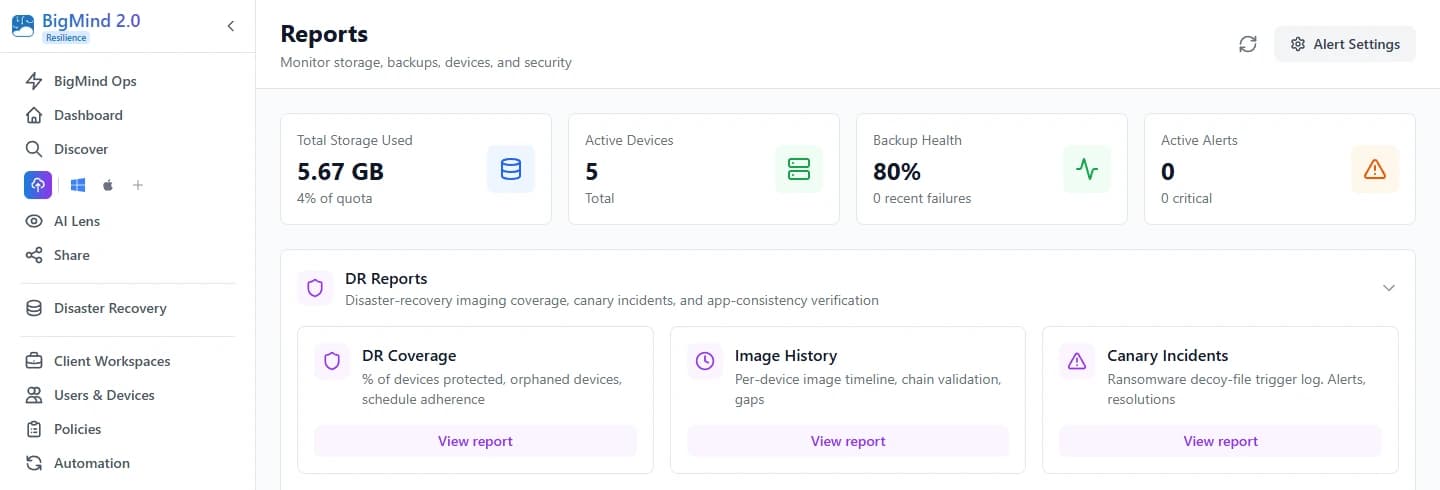
Every metric that matters — visible at a glance.
Open the Reports hub and the four key KPIs are immediately visible: total storage used across all tiers, active devices, backup-health percentage, and active alerts. Below that, two visual charts — Storage by Tier (donut) and Storage by Category (bar). The full picture in one screen.
- Total storage used across Hot, Cold, and Deep Freeze tiers
- Active devices and backup-health percentage at a glance
- Active-alerts count so nothing slips by
 Click to enlarge
The reports IT actually runs
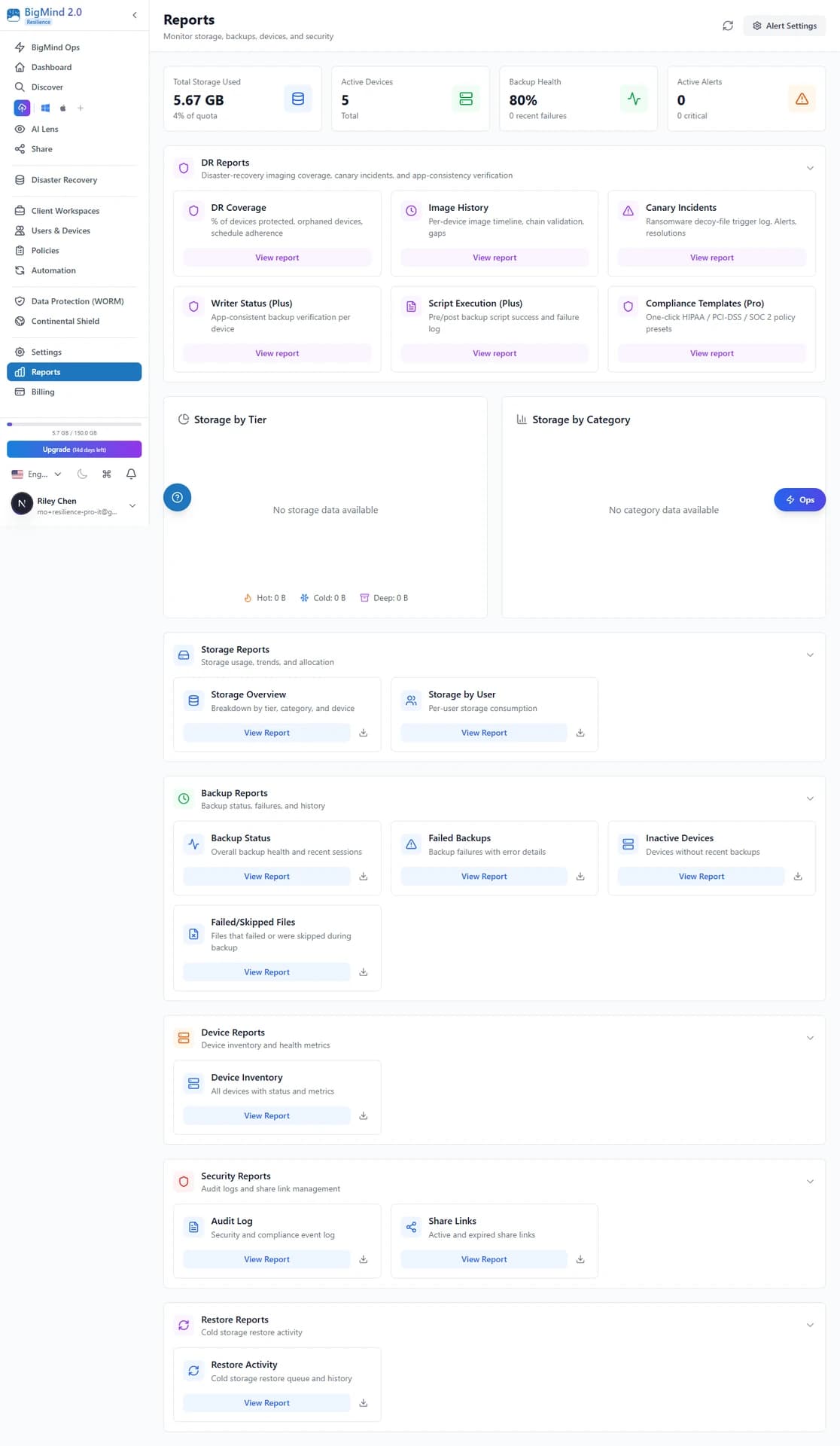
5 categories. 10 built-in reports.
Every report includes a “View Report” button for interactive exploration and a download button for offline use.
Storage Reports
Storage usage, trends, and allocation
Storage Overview
Breakdown by tier, category, and device — Hot / Cold / Deep Freeze splits, top devices by storage, and category distribution in one view.
Storage by User
Per-user storage consumption. Identify who's using the most space and optimize allocation across your organization.
Backup Reports
Backup status, failures, and history
Backup Status
Overall backup health and recent sessions across every device.
Failed Backups
Backup failures with error details so you can act fast.
Inactive Devices
Devices without recent backups, surfaced before they become a gap.
Failed/Skipped Files
Files that failed or were skipped during backup, with reasons.
Device, Security & Restore Reports
Inventory, audit log, share links, and restore activity
Device Inventory
Every connected device — backup status, storage consumption, and last activity — in a single exportable table.
Audit Log
Every login, permission change, policy update, and administrative action with timestamps.
Share Links
Active and expired share links — who created which, and which need attention.
Restore Activity
Every Cold-storage restore — who requested it, what was restored, and how much data moved. Essential for cost management.
KPI cards, charts, sortable tables, drill-down.
Every report opens into a rich, interactive view: summary KPI cards at the top, visual charts (pie, bar, trend), sortable device-level breakdowns, and Top Devices by Storage with percentages. Drill from organization-wide metrics down to individual device performance.
- Summary KPI cards at the top of every report
- Pie charts, bar charts, and trend visualizations
- Top Devices by Storage with % of total
- Sortable, device-level breakdowns you can drill into
 Click to enlarge
Export in any format
CSV, Excel, JSON — one click.
Every report can be exported instantly. Three formats cover every downstream tool — click Export and choose.
CSV
Spreadsheet-ready
Excel
Native .xlsx
JSON
API-ready data
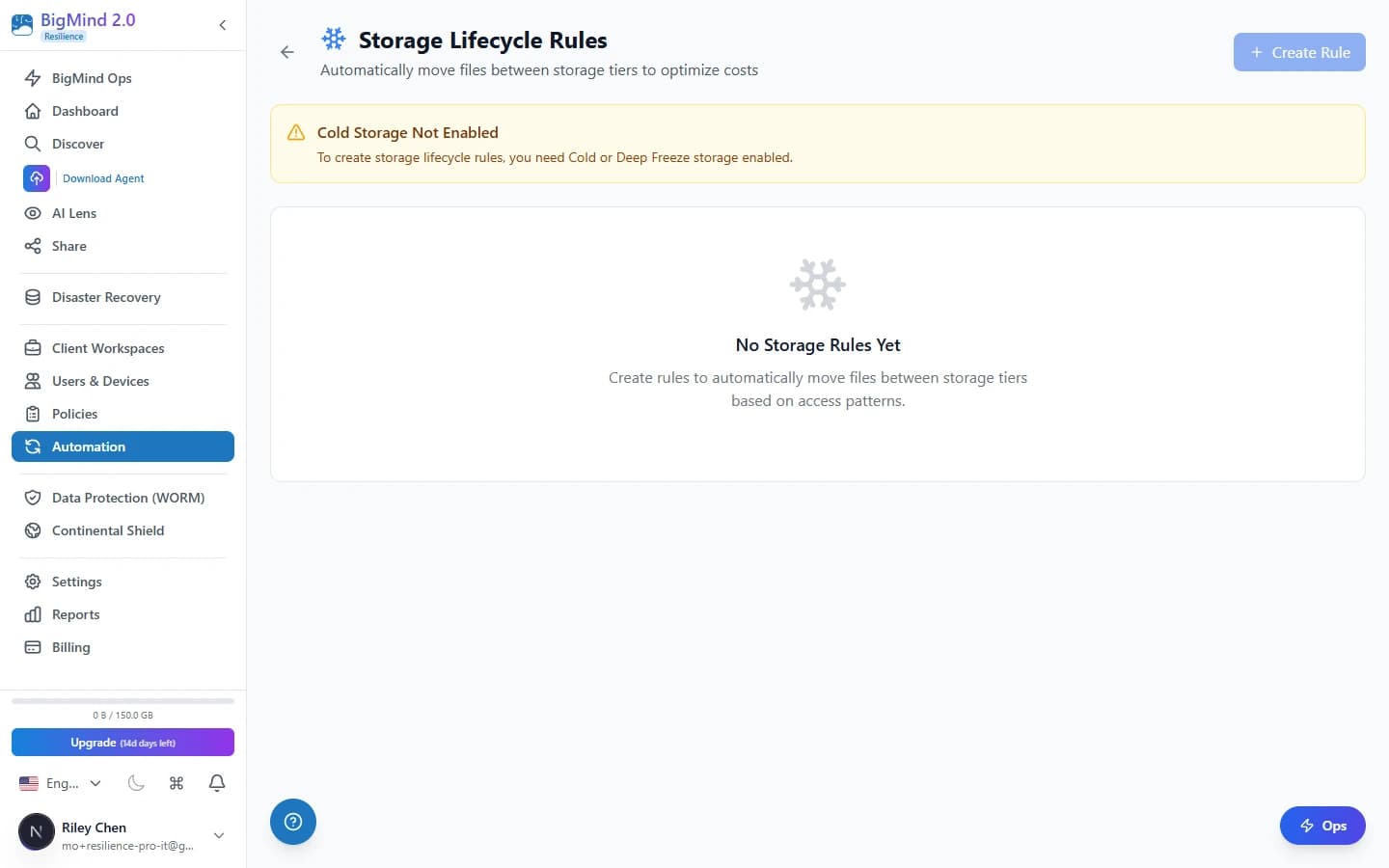
Tip: Combine exports with Scheduled Reports via the Automation Hub to deliver data to inboxes automatically — daily, weekly, or monthly. Conditional triggers (“only if a threshold is exceeded”) keep the email volume sane.
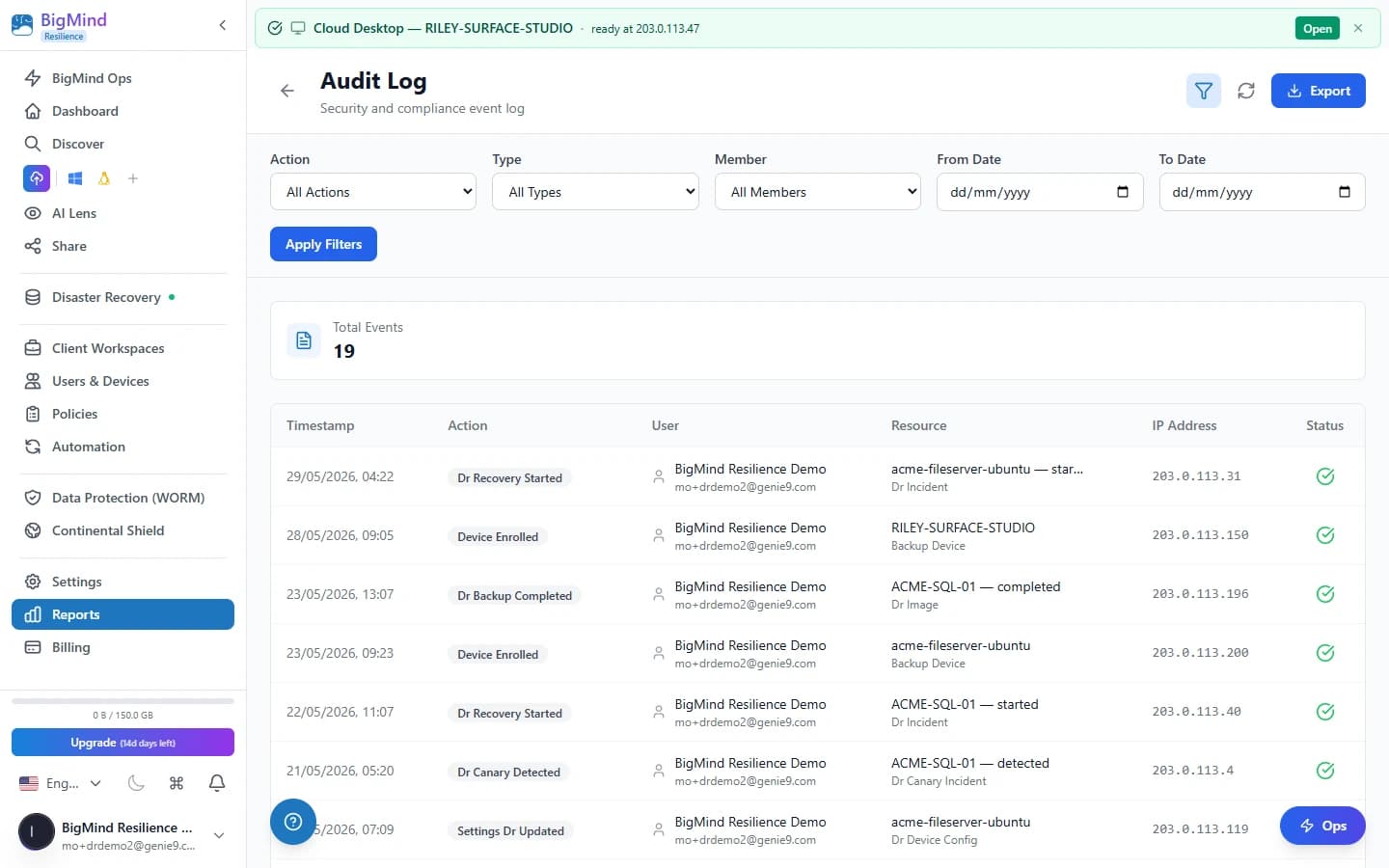
Every access action, recorded.
A complete audit log captures every user action — login, permission change, policy update, file restore, share creation, device add/remove. Filter by user, time range, or action type, then export for SIEM ingestion or compliance evidence packs.
- Logins, permission changes, and policy updates — all timestamped
- File restores, share creation, and device add/remove events
- Filter by user, time range, or action type; export for SIEM
 Click to enlarge
Stay informed without logging in.
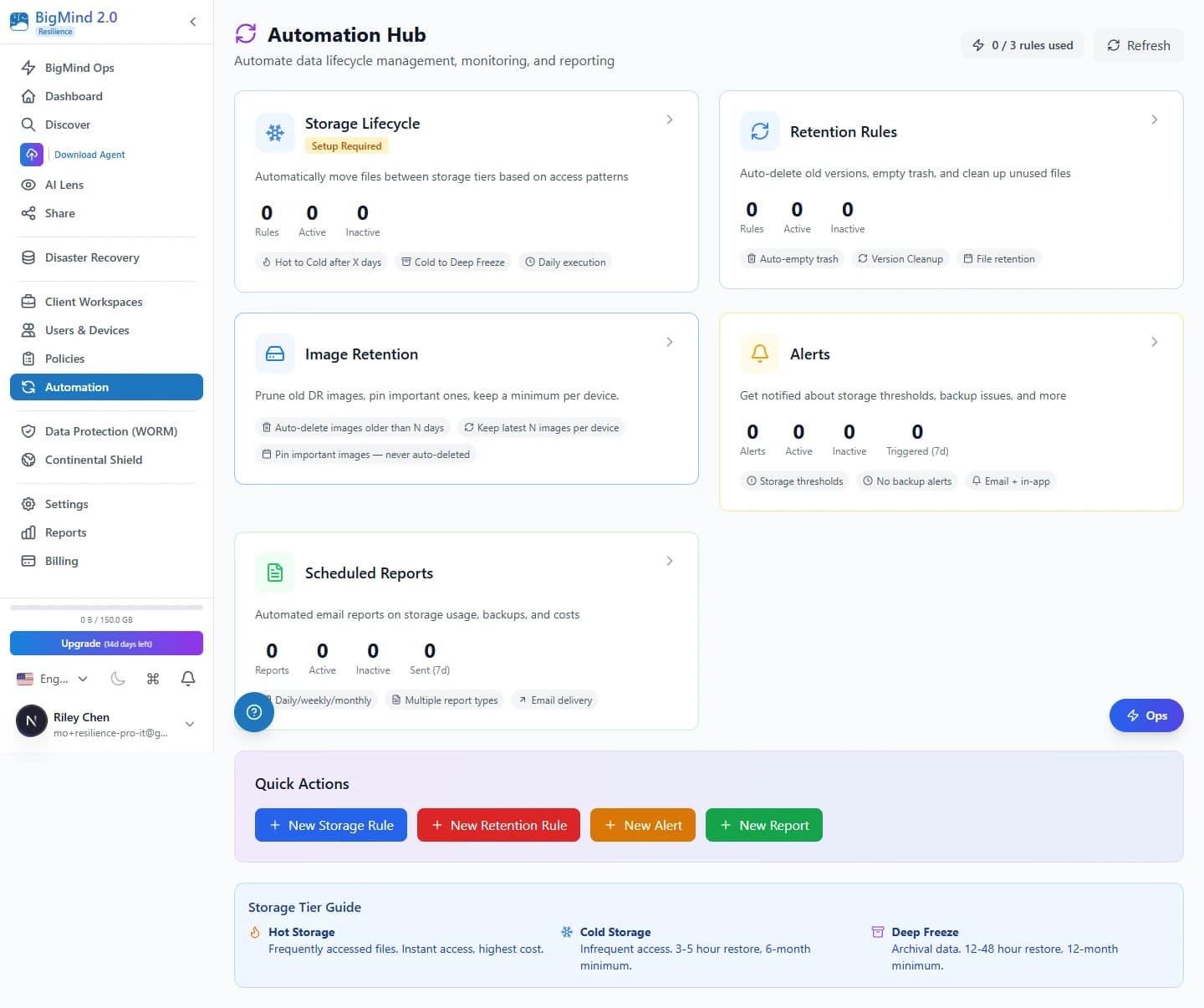
Schedule any report — one-time, daily, weekly, or monthly — and deliver it via email, S3 export, or webhook. Add multiple recipients per schedule and choose conditional delivery: always send, only if there's new data, or only if a threshold is exceeded.
- One-time, daily, weekly, or monthly cadences
- Deliver by email, S3 export, or webhook — multiple recipients
- Conditional delivery: always, only-if-new-data, or only-if-threshold-exceeded
 Click to enlarge
Compliance posture
Audit-ready — no template promises we can't keep.
Here's exactly what ships today, and what's still ahead.
Shipping today
- WORM-immutable, audit-ready storage
- SOC 2 Type II infrastructure
- HIPAA-compliant infrastructure (BAA available)
- Complete audit log, exportable for evidence packs
Not yet at launch
Pre-built compliance report templates (HIPAA / PCI / SOC 2 narrative formats) are not yet shipping at launch — those land in a later phase. Today the underlying data is everything an auditor needs; the narrative formatting layer is up to your CISO.
See the full picture.
10 reports, 3 export formats, visual dashboards — all included on every paid Resilience tier. No credit card required. Cancel anytime. Free migration assistance.