Dashboard
Your command center for all backups.
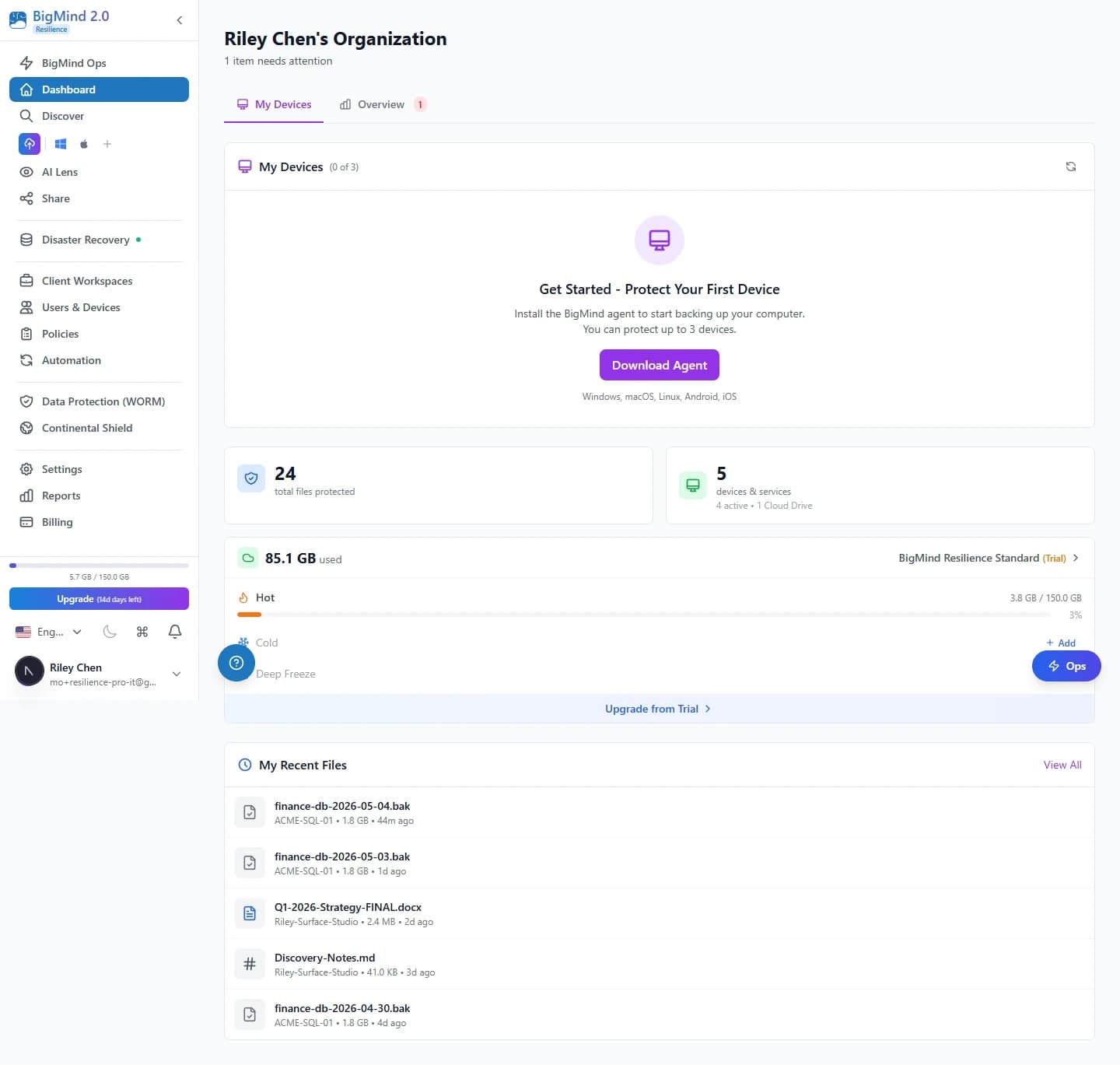
See everything at a glance. The BigMind Resilience dashboard gives you real-time visibility into all your backups, devices, storage usage, and system health — from one unified interface.
 Click to enlarge
At a glance
Everything you need, one screen.
Customizable widgets give you instant insight into what matters most.
Storage Overview
Total storage across all tiers, with a visual breakdown by Hot, Cold, and Deep Freeze.
Device Status
Devices connected, active vs offline, and the last backup time for each.
Backup Health
Success rate over the last 24h, failed backups needing attention, and inactive devices.
Recent Activity
Latest uploads, policy changes, and user actions in real time.
Everything you need, one click away.
Common tasks live right on the dashboard — no digging through menus.
- Add Device — install the agent on a new computer in minutes.
- Invite User — add team members with the right permissions.
- View Reports — jump straight to detailed analytics.
Roles
Role-based views.
Different dashboards for different needs — admins get full organization control; users see their personal backup status.
Admin view
- Organization-wide stats
- All users' devices
- Full backup status
- All activity logs
User view
- Personal backup status
- Device health overview
- Storage usage metrics
- Recent activity feed
Take control of your backups.
The dashboard is included on every Resilience tier. Start monitoring your data protection today.