 DICOM viewer
Review any study. In any browser.
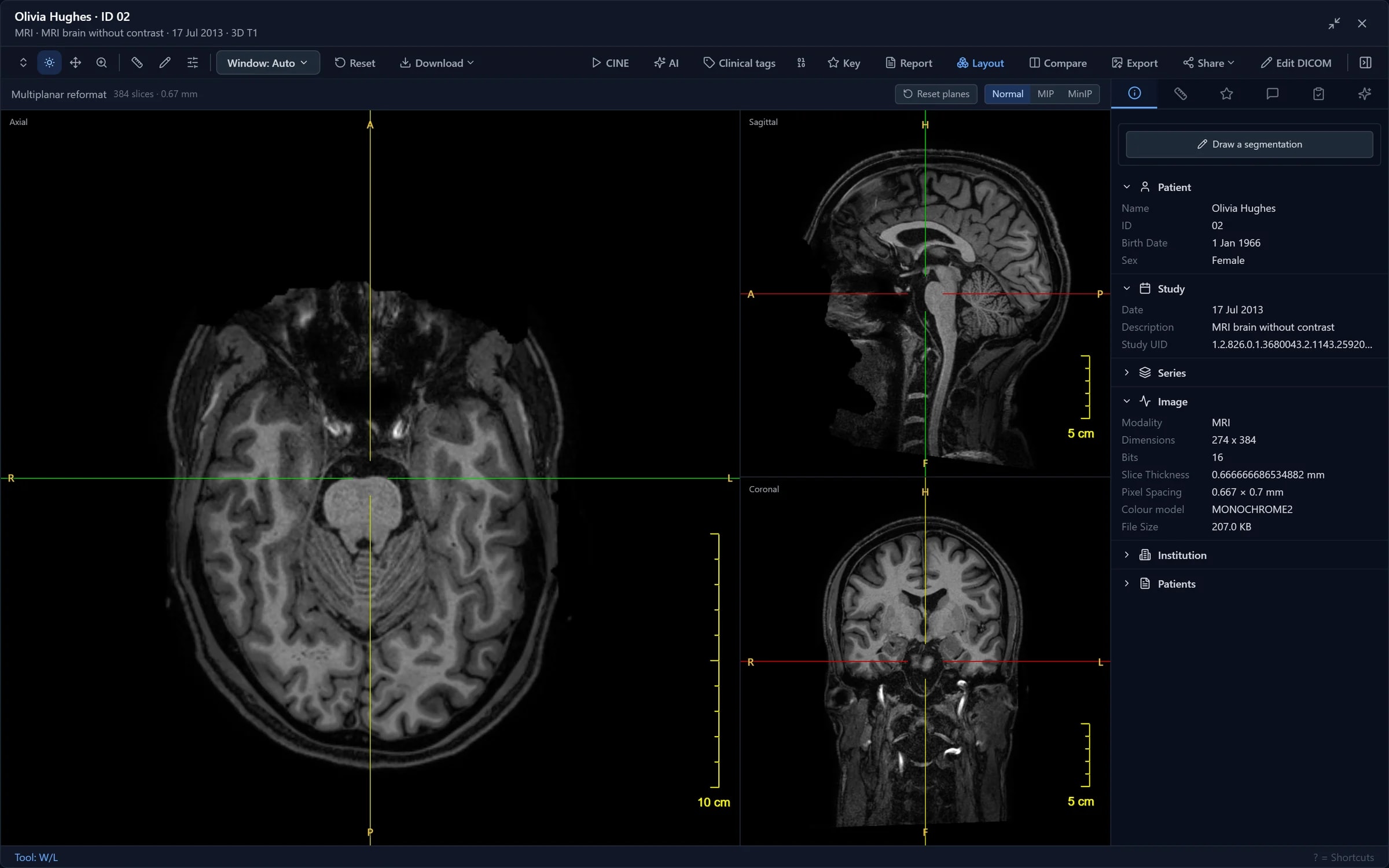
CT, MR, X-ray and ultrasound open straight from your backup, with calibrated measurements, three-plane reformat and earlier studies side by side. Nothing to install, no viewer license per screen.
Just want to open a DICOM file? Try the free viewer, nothing uploaded
15 days free · 250 GB per seat · no card
BigMind Medical is not a diagnostic device. It keeps, files and shares images for review; a clinician reads every image.
Tools
Everything you need to review a study.
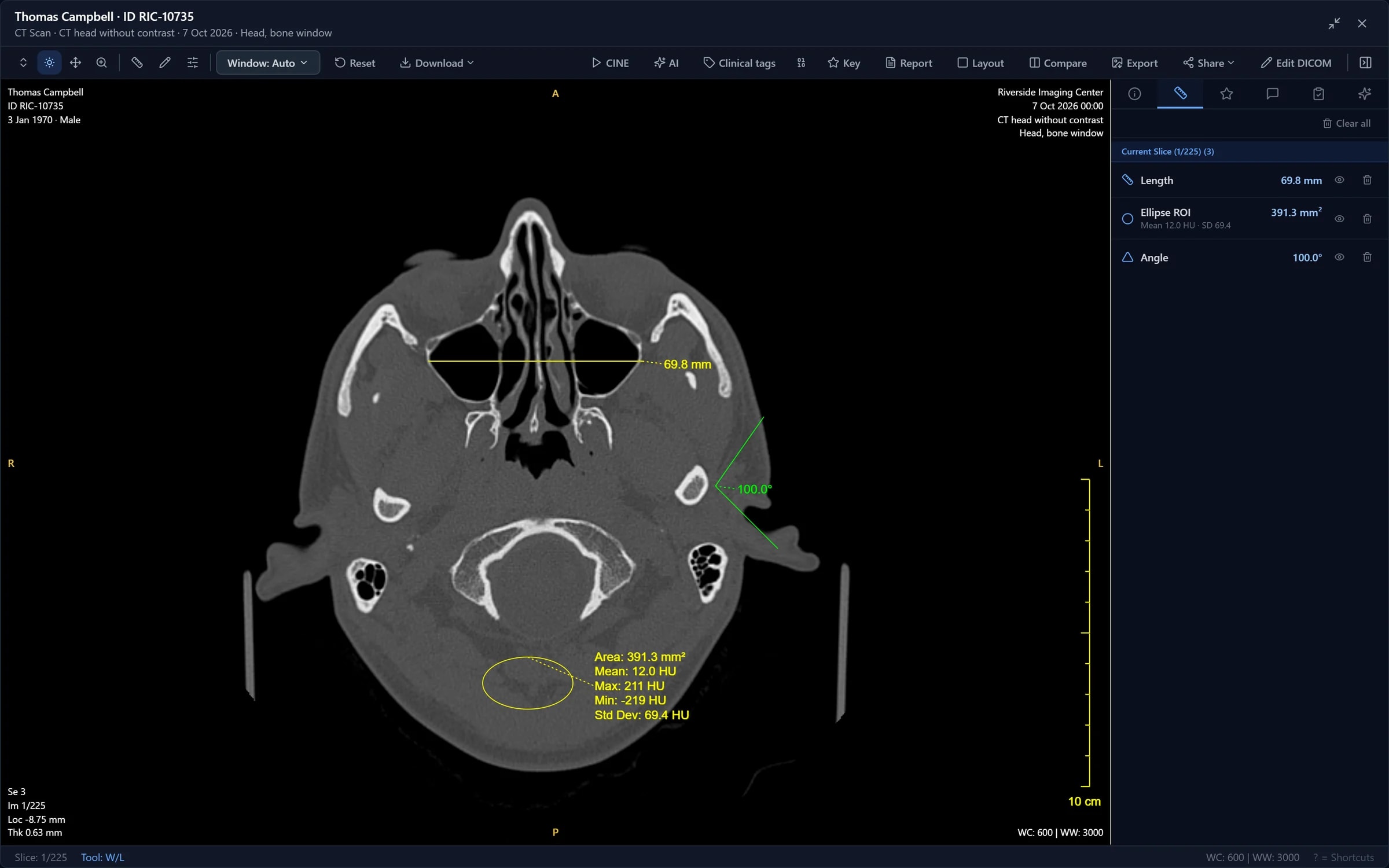
- 12 measurement toolsLength, angle, Cobb, height, HU probe, ellipse, circle, rectangle and freehand ROI, bidirectional, Doppler.
- Presets per modalityBrain, lung, bone and more on CT. Presets that would black out an X-ray are not offered.
- Three-plane reformatAxial, sagittal and coronal, with ROI tools and MIP. Refused when slice spacing would distort it.
- Compare with priorsSide by side, 1×2 or 2×2, with layouts you can save per study type.
- Key imagesMark the images that matter so the next reader starts there.
- CINEPlay multi-frame studies and stacks, such as ultrasound loops or angiography.
- DICOM tagsBrowse and search every tag in the study, file by file.
- SegmentationPaint and label regions on a series, one color per segment.
Measurements
Numbers you can check, with the calibration beside them.
Checked on 12 calibration phantoms.
- “mm”, “mm Proj”, “ERMF”, “US region” or “px”, each explained on hover
- A badge on the image names its calibration
- No pixel spacing? It measures in pixels and says so
- Calibration notes travel into the report
Doppler, for ultrasound
The caliper gives Δt, Δv, RI, S/D and acceleration between two points; the probe gives velocity and pressure gradient. For a trace, mark where one heartbeat starts and where the next begins: the outline between them is traced for you and reports PSV, EDV, TAMV, PI, RI, S/D, VTI and heart rate. It refuses rather than guesses when the marks are less than a beat apart.
Measurements that travel
Export measurements as DICOM SR and import them back: every value comes back identical. Save pictures with their annotations, and export a study de-identified, with hidden dates and device serials removed too.
Reports and phones
From the reading room to the patient’s pocket.
- Reports in 18 languagesPDF reports with the signer, status, version and sign-off time. Right-to-left languages read correctly.
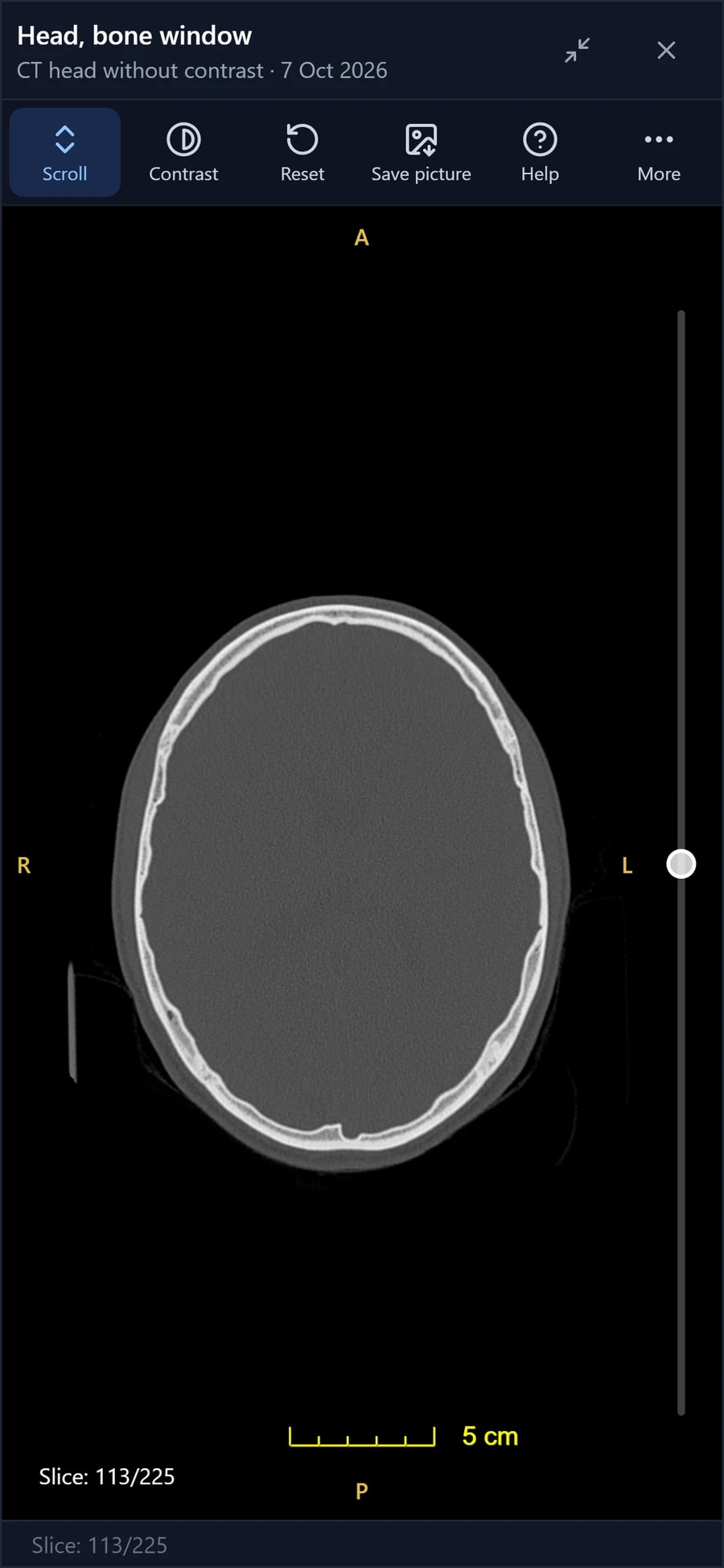
- A viewer for phonesPatient links open a phone viewer: scroll, contrast, save a picture. Doctors get the full tools.
FAQ
Questions about the viewer
Do we need to install anything?
No. The viewer runs in Chrome, Edge, Safari or Firefox on any computer, and a phone version opens from patient links. Studies stream from your BigMind backup.
Which images does it open?
DICOM studies from CT, MR, X-ray (CR and DX), ultrasound, fluoroscopy, angiography, ophthalmic OCT and more, including multi-frame and compressed files.
Can we use it to make a diagnosis?
No. The viewer is for review and sharing, not for primary diagnosis, and BigMind Medical is not a diagnostic device. Read and report in the system you use for that today.
How accurate are the measurements?
Every tool was checked on 12 calibration phantoms and on real CT, X-ray and ultrasound, including rotated, flipped and zoomed views. Each value shows the calibration it comes from, and an image with no pixel spacing measures in pixels and says so.
Can we use our own desktop viewer instead?
Yes. Your API key reads your studies over DICOMweb, so viewers such as Weasis or 3D Slicer can open them directly. Or download any study as its original DICOM files.
Where are the images while we view them?
They stay in your BigMind storage and stream to the browser over an encrypted connection. US clinics’ images are stored in the United States (Amazon Web Services, US East); UK clinics can have theirs stored in the UK. Every patient-link open and every download is written to your audit log.
Open your first study in a minute.
Drop a study into the browser, or open one in the sample clinic. 15 days free, no card.