 Patients
 build themselves.
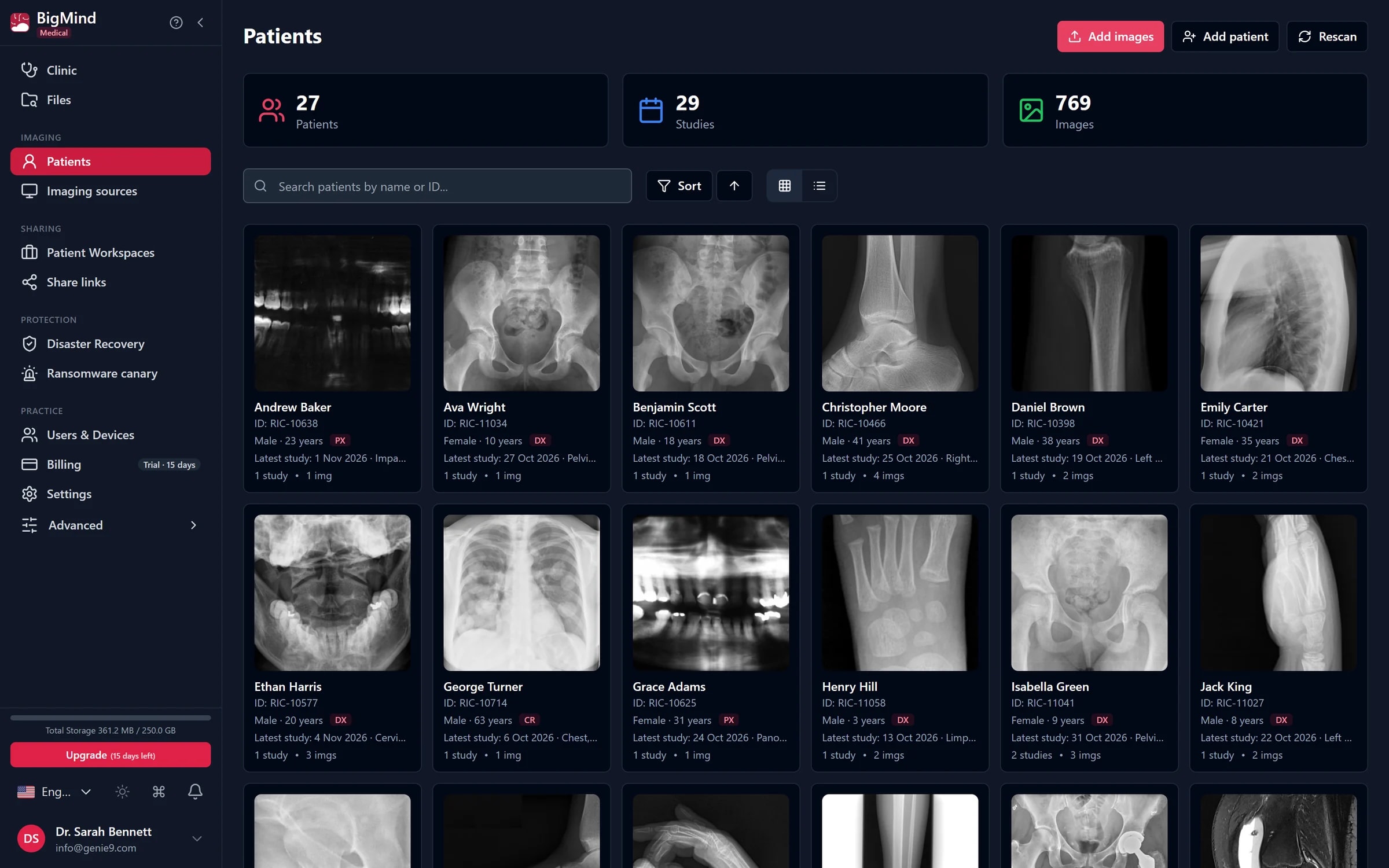
BigMind reads every image’s own data and builds the patient, the study and the series. Nobody types a name, and nobody digs through dated folders again.
15 days free · 250 GB per seat · no card
BigMind Medical is not a diagnostic device. It keeps, files and shares images for review; a clinician reads every image.
How it works
From a folder of files to a patient list.
- 1ReadThe tags are readName, ID and birth date; study, series and modality, from every DICOM file.
- 2FileThe patient is builtPatient, study and series, with a thumbnail for each. Live as images arrive.
- 3CleanNames read like namesDOE^JANE becomes Jane Doe, ALL CAPS becomes title case. CJK names keep their order.
- 4FindAnyone, in secondsSearch by name or ID, including the name exactly as written on the scan.
One record
Everything about a patient, in one place.
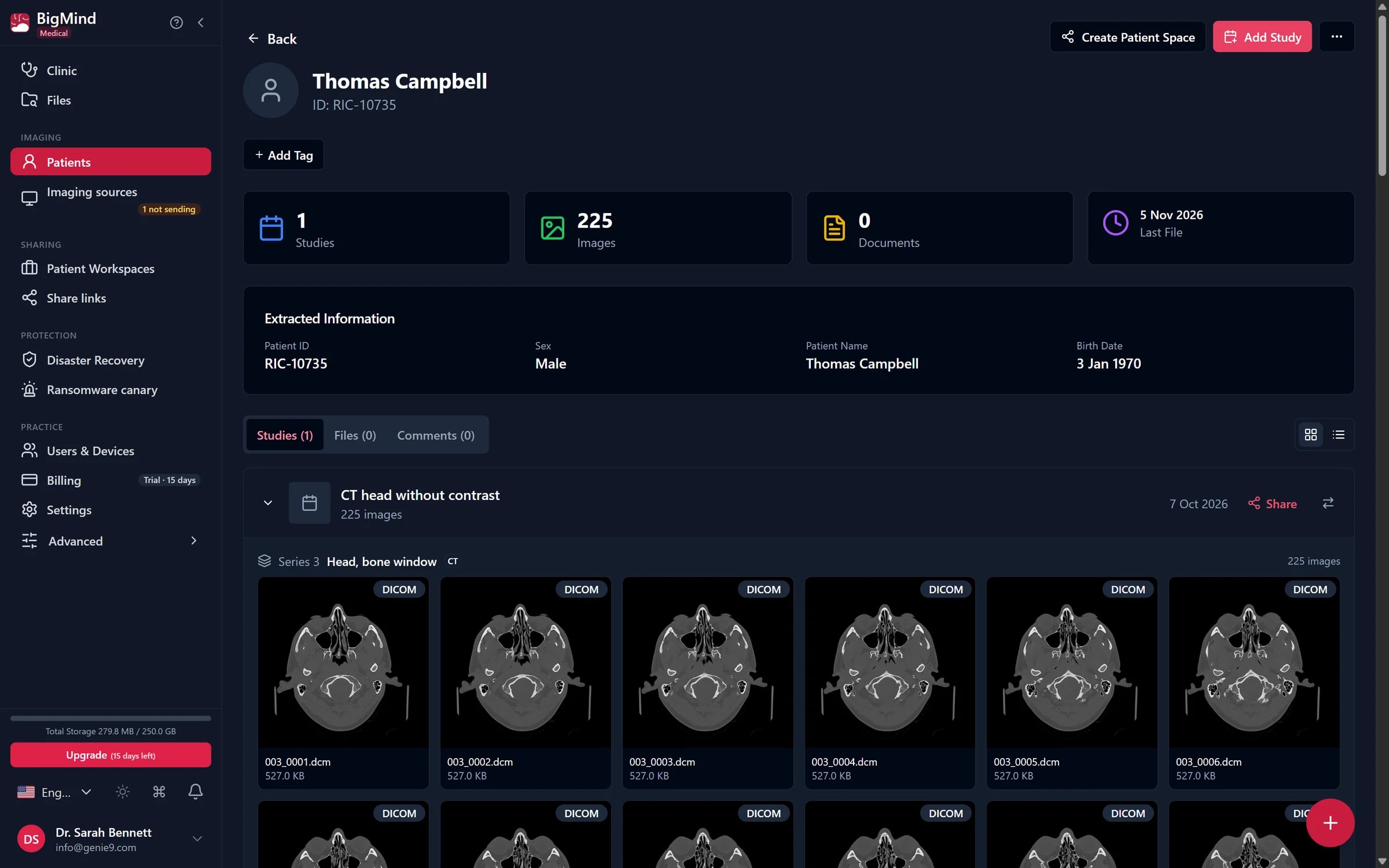
Studies, series and images, ready to open or share.
- Open any study in the browser viewer
- Share it with the patient from the same screen
- Comments, tags and documents beside the images
- A Patient Space for that patient in one click
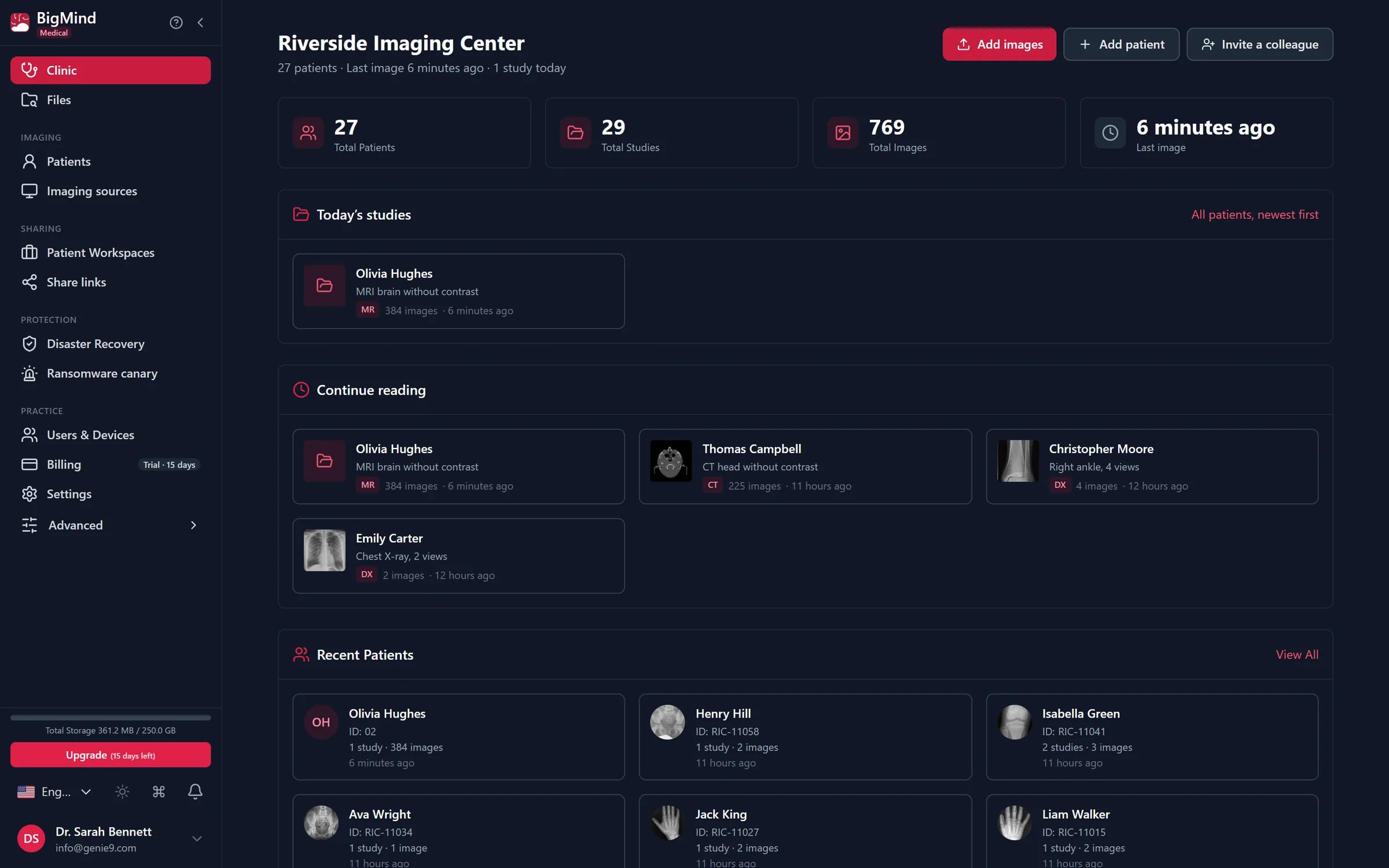
Your clinic’s day, at a glance.
- Today’s studies and Continue reading
- Imaging sources and protection status
- Add images, add a patient, invite a colleague
Tidy-up tools
Real data is messy. Fix it in a click, with a record.
- RenameChange how a patient is shown. The images are never changed.
- Merge duplicatesOne patient, one record. New images under the old name land on the merged one.
- Move a studyFiled under the wrong person? Move it, up to 500 files at a time.
- Archive test imagesPhantoms and test shots out of the way, offered for you to hide.
Every change goes into the audit log: who, what and when.
Years of images
Your old backups become patients.
Nothing to upload again.
- Progress shown on Imaging sources
- DICOMDIR exports with no file extension recognized
- Works at clinic scale: long lists page, pickers search the whole clinic
Small things that matter
Built for a clinic without an IT person.
- “Your imaging PC has gone quiet”If a machine that used to send images stops, the owner gets one email saying so, with what to check.
- Search as it’s writtenFind a patient by the display name or by the name exactly as it appears on the scan.
- Patient SpacesOne shared space per patient for studies, reports and documents. 10 on Standard, unlimited on Pro.
- An audit logEvery change made and every patient link opened, with who and when.
FAQ
Questions about patients
Do we have to name or sort anything?
No. BigMind reads the patient’s name, ID and birth date, the study and the series from each image’s own DICOM tags, and files it. Images that name no patient wait under Unassigned until they do, or until you move them.
Does renaming a patient change our images?
No. A rename changes how the patient is shown in BigMind. The images’ tags are never changed, and new images for that patient still arrive under the same record.
We already back up years of images. Do we upload them again?
No. Turn BigMind Medical on and it reads the archive you already backed up in the background, then files it into patients. Imaging sources shows the progress. Files with no extension, such as a DICOMDIR export’s IM0001, are recognized by their content.
What about 2D dental X-rays saved in the sensor software’s own format?
They are backed up like any other file. Only DICOM files (CT, CBCT, MR, DX and exported panoramics, for example) are read and filed into patients.
Who can see a change someone made?
Everyone with access to the audit log. Every rename, merge, move and archive is recorded with who did it and when.
Watch your patients appear.
Point the agent at your imaging folder, or drop a study into the browser. 15 days free, no card.